User Management
Designing user management tools across products and access levels
This project was to create a robust user management system for both internal and external users to be able to manage product access. There were two main goals; provide a UI for internal users to add and manage new users, and second to lesson the burden of user management on internal users by allowing teams to manage their own permissions.
It started with a single product, Analytics by Liaison, and was successful enough to be adopted for additional productions.
Process
A large portion of this process involved working with the product team to develop requirements that would allow user management to scale with ease. We started with developing an end vision for user management and worked backwards to what was needed for the first iteration, releasing new features in an agile development process.
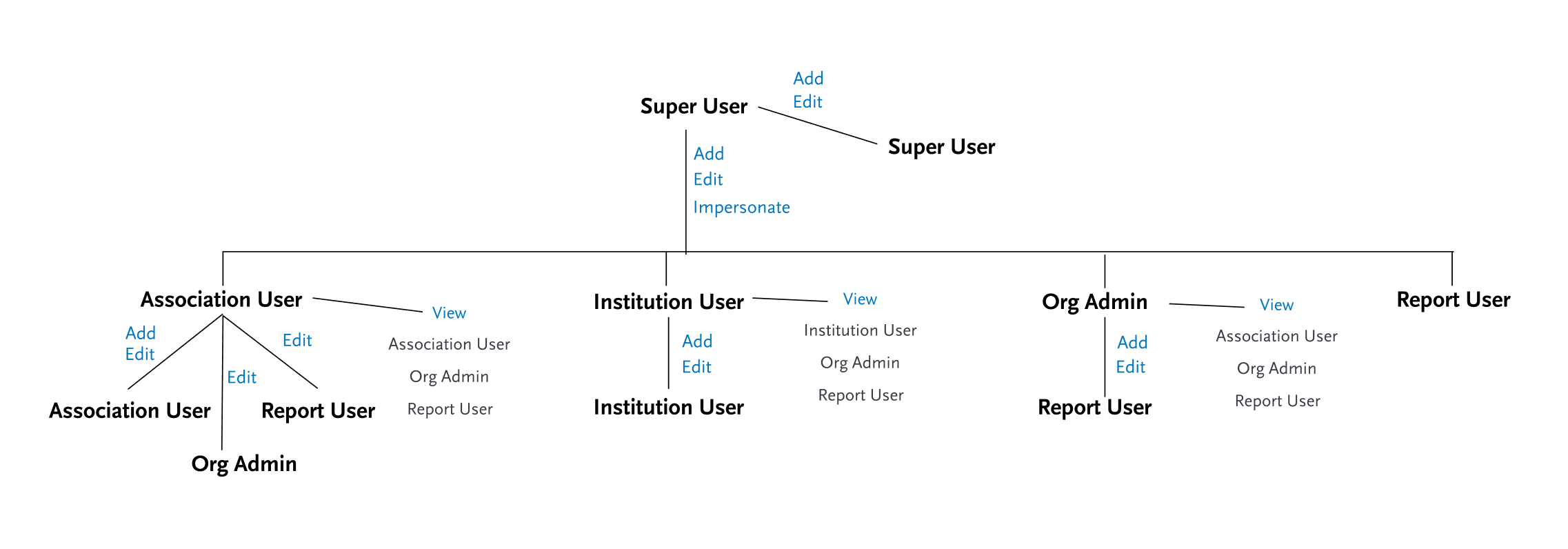
As part of this process, I created a map of permissions needed.
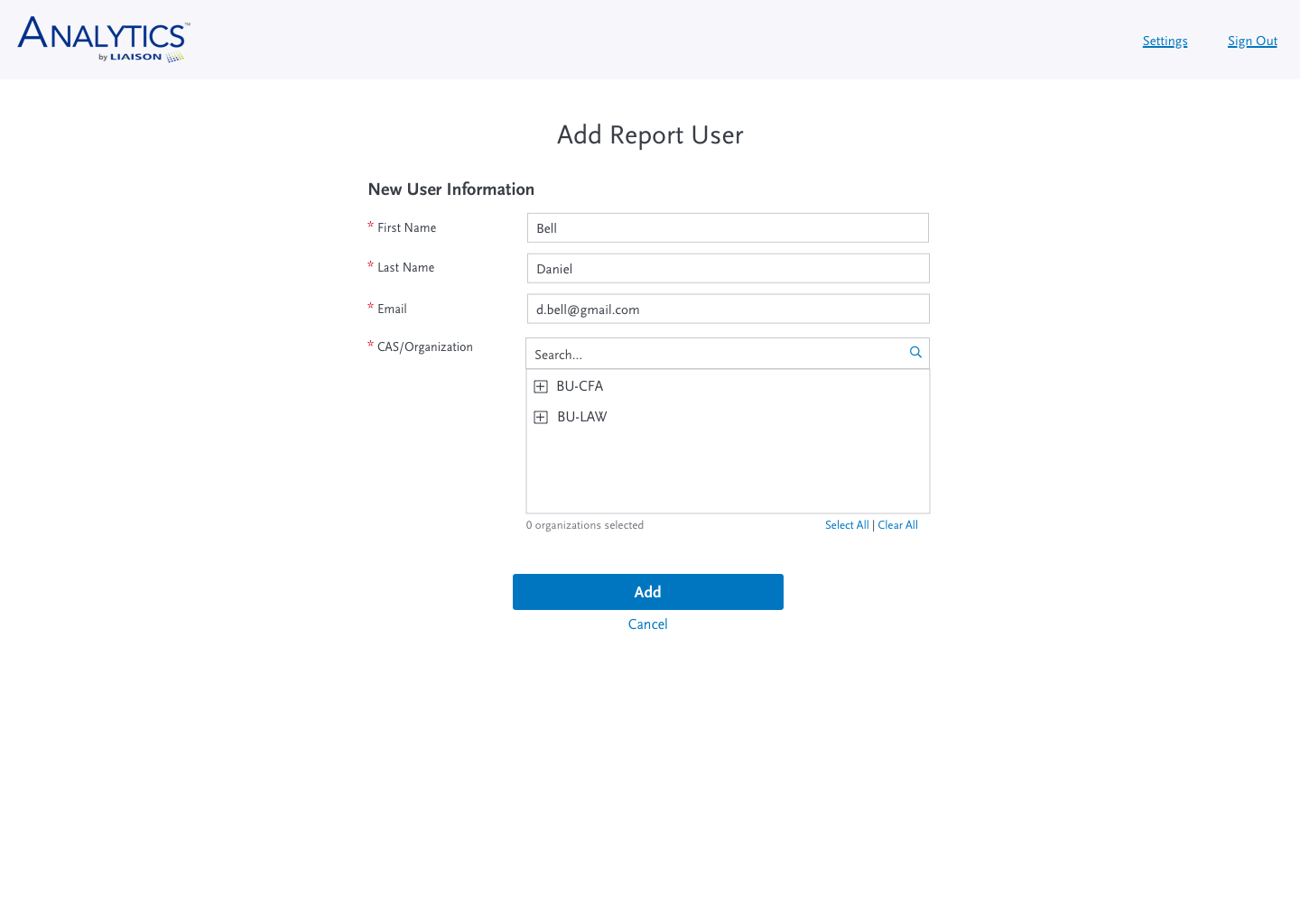
I separated user information into global requirements and role based requirements, creating one form that dynamically updates required fields depending on role.
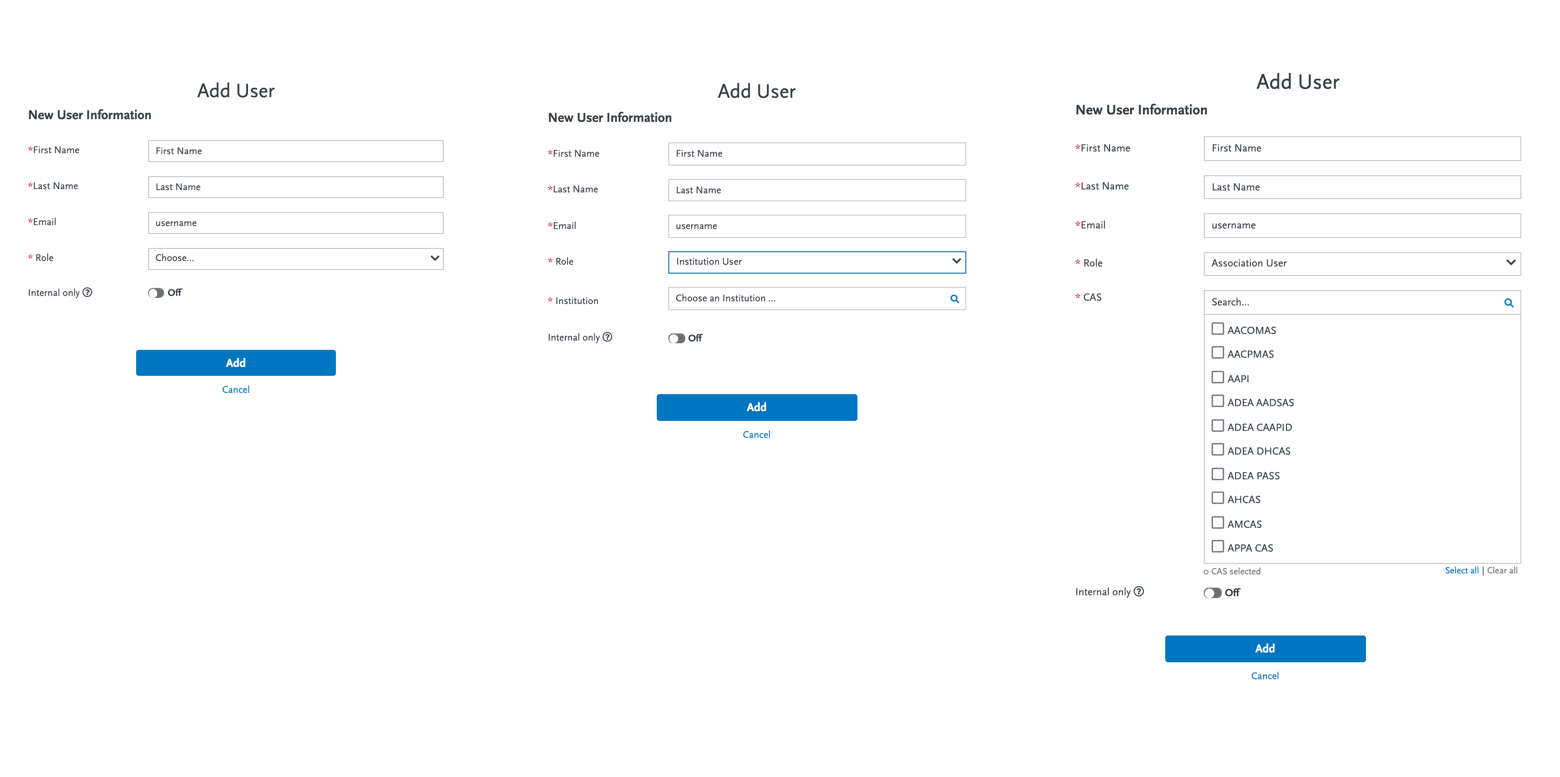
Created users can then add and manage new users within their set of permissions. They see a simplified screen based on their permissions that they are able to choose from for new users.
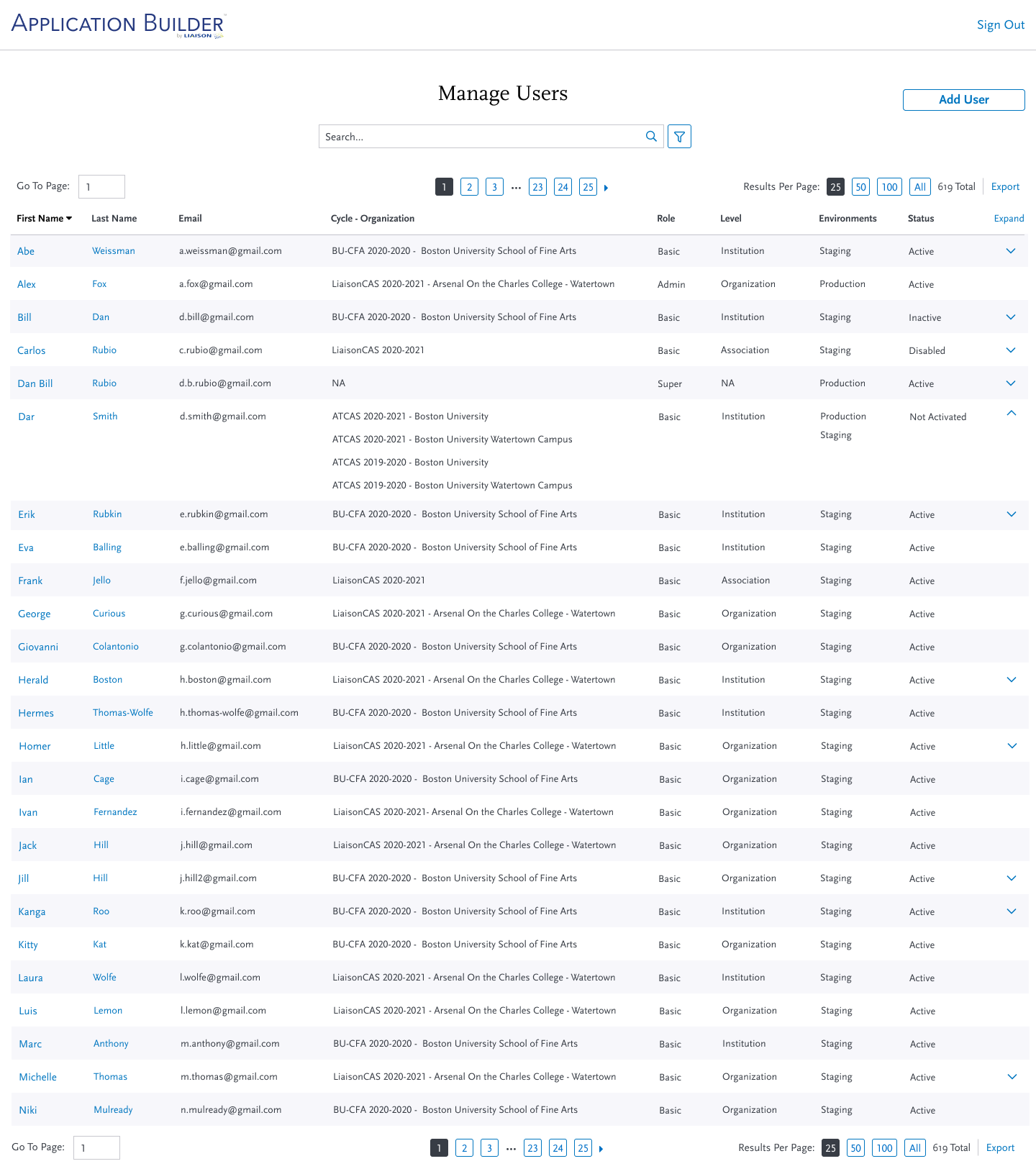
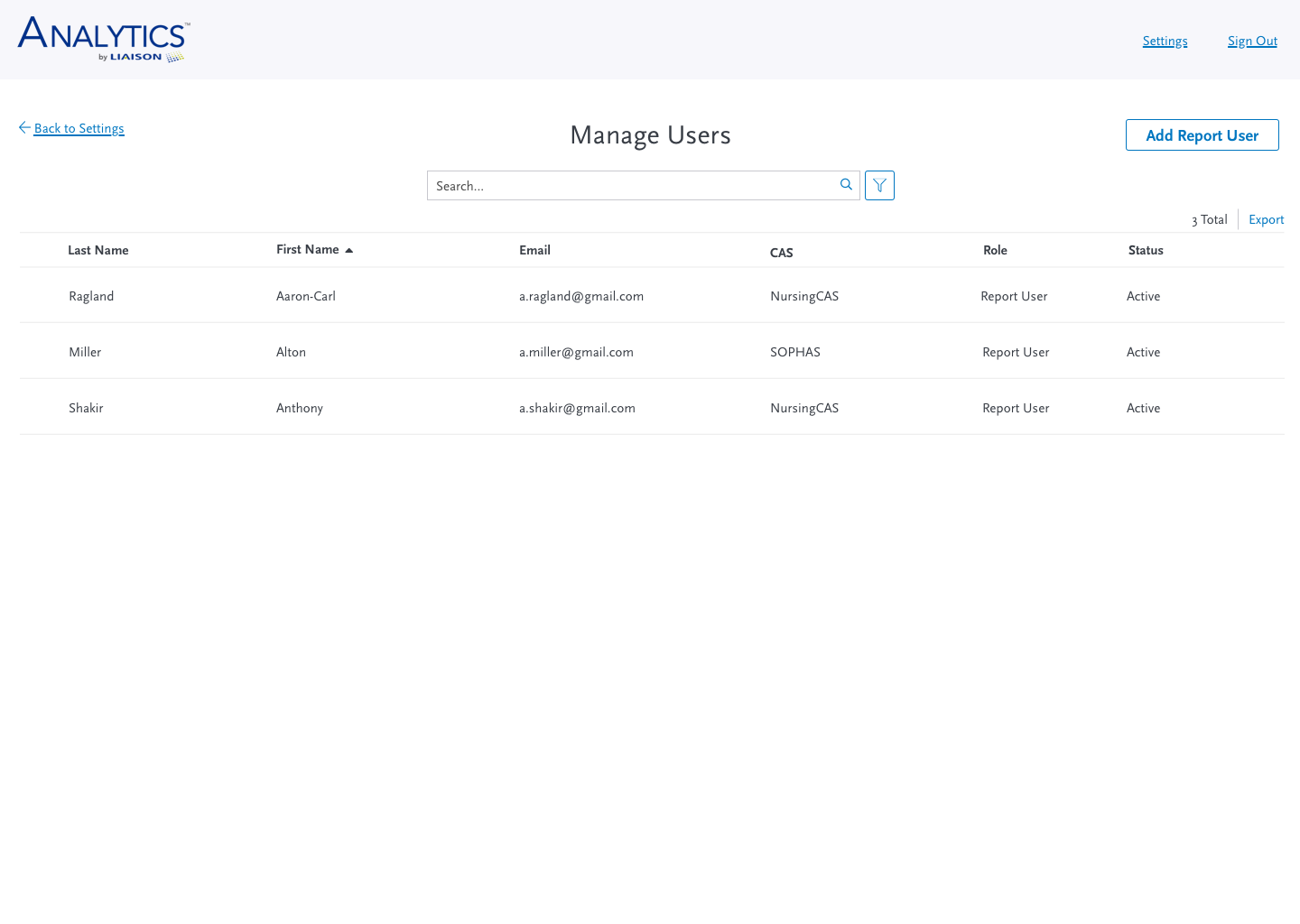
Another major component of the project was a highly functional table to sift through large volumes of users. The main user of this table is internal super users, having access to manage all users across the product. As such, I created robust filtering abilities, as well as the ability for users to save and reuse their most used filters inside at the top of the table.
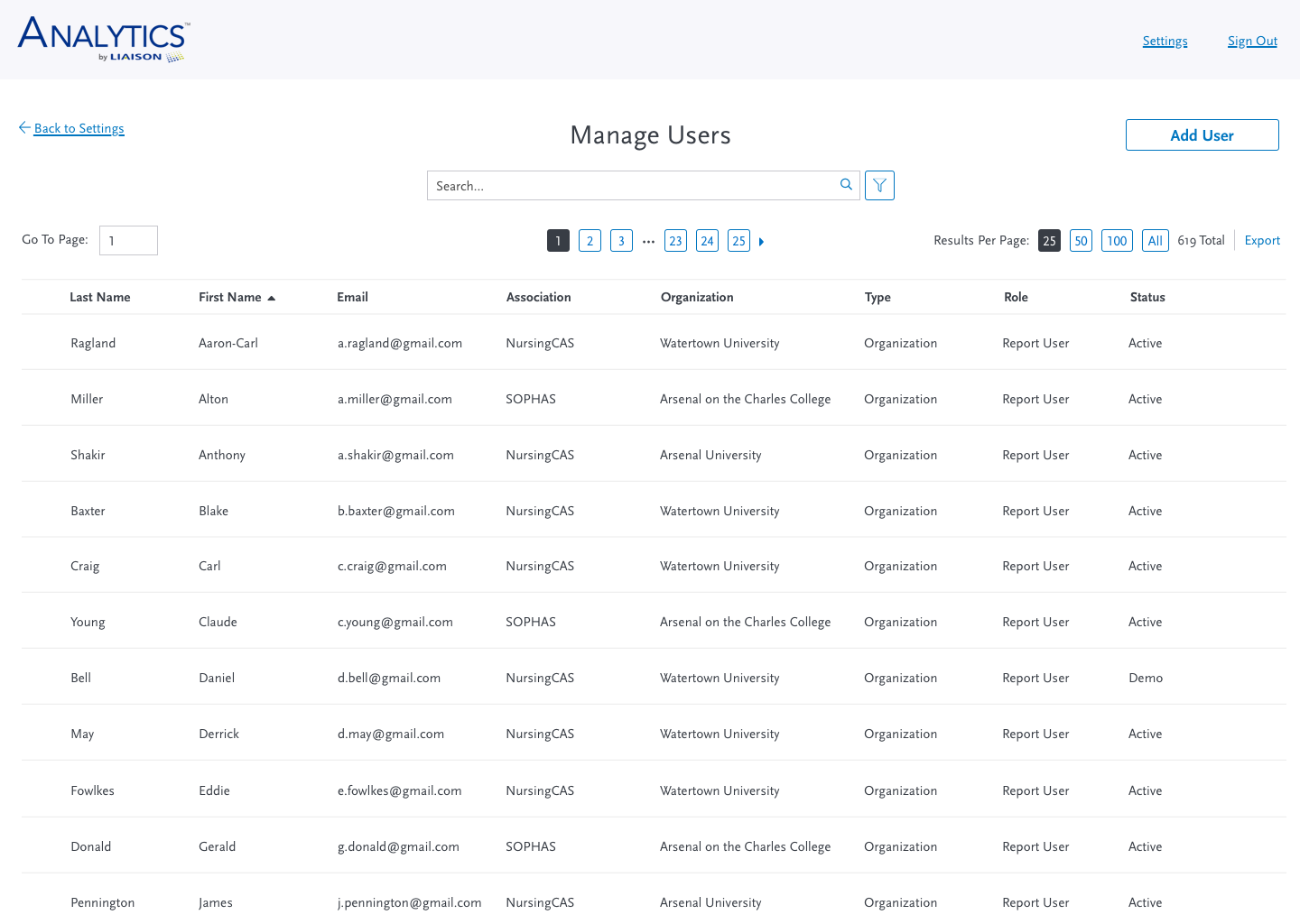
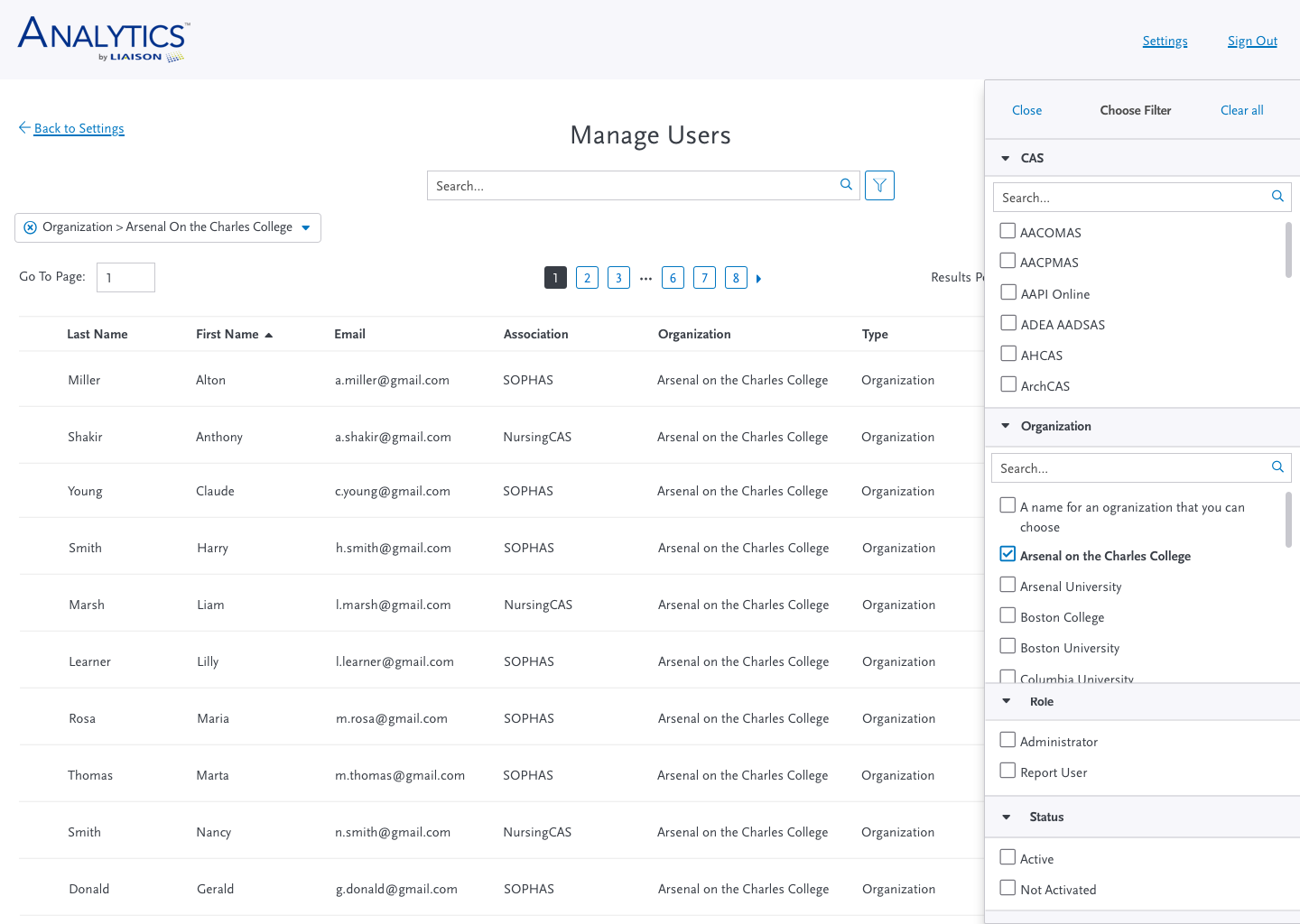
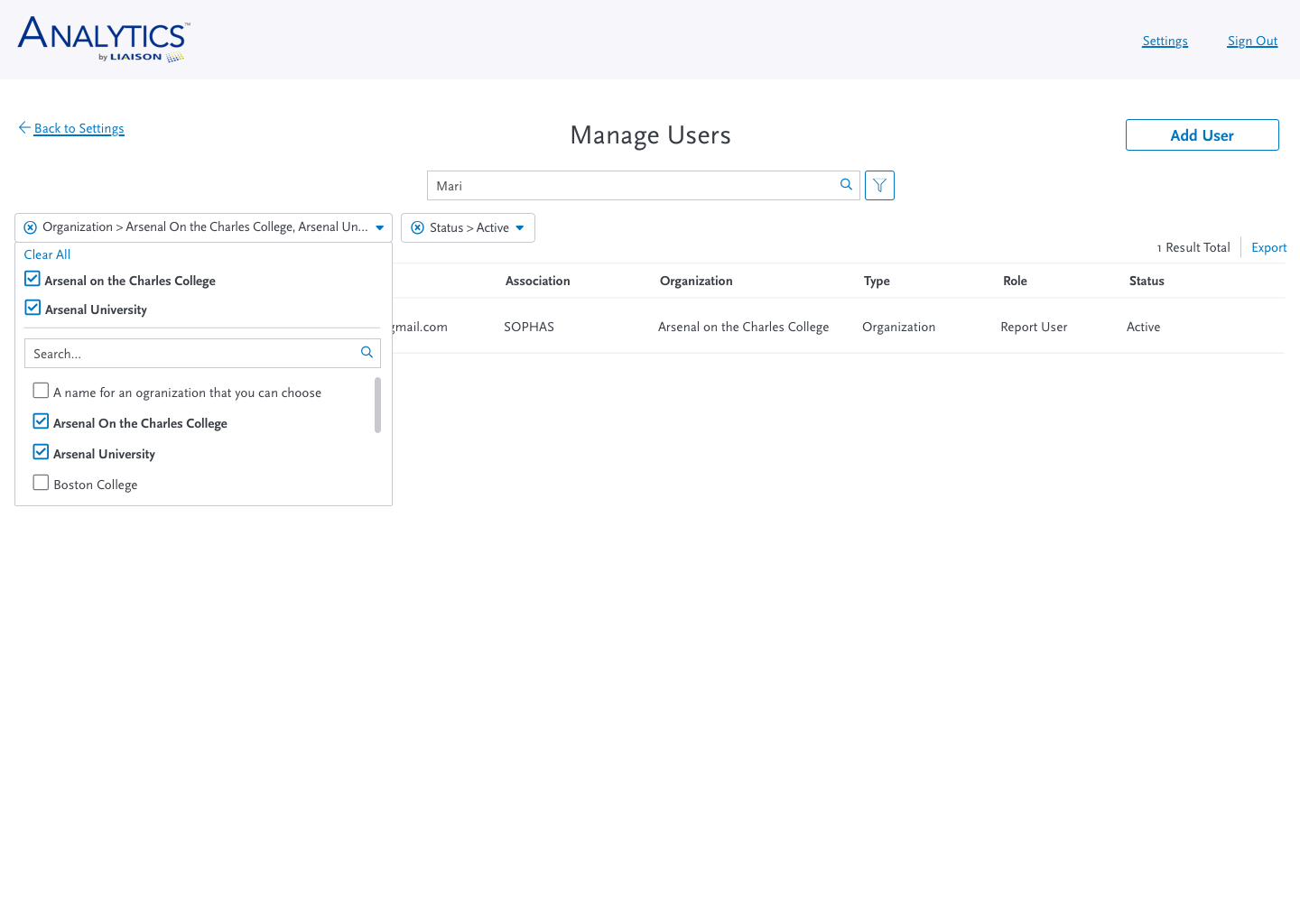
Again, external users would see a simplified version of this screen to manage their own team permissions.
Improving and expanding
After implementing user management in one product with success, the same concepts were improved upon when looking to create a centralized user management system for several other Liaison Products. Here, I worked to refine the user permissions structure to accommodate the needs for all products, rather than a single product:
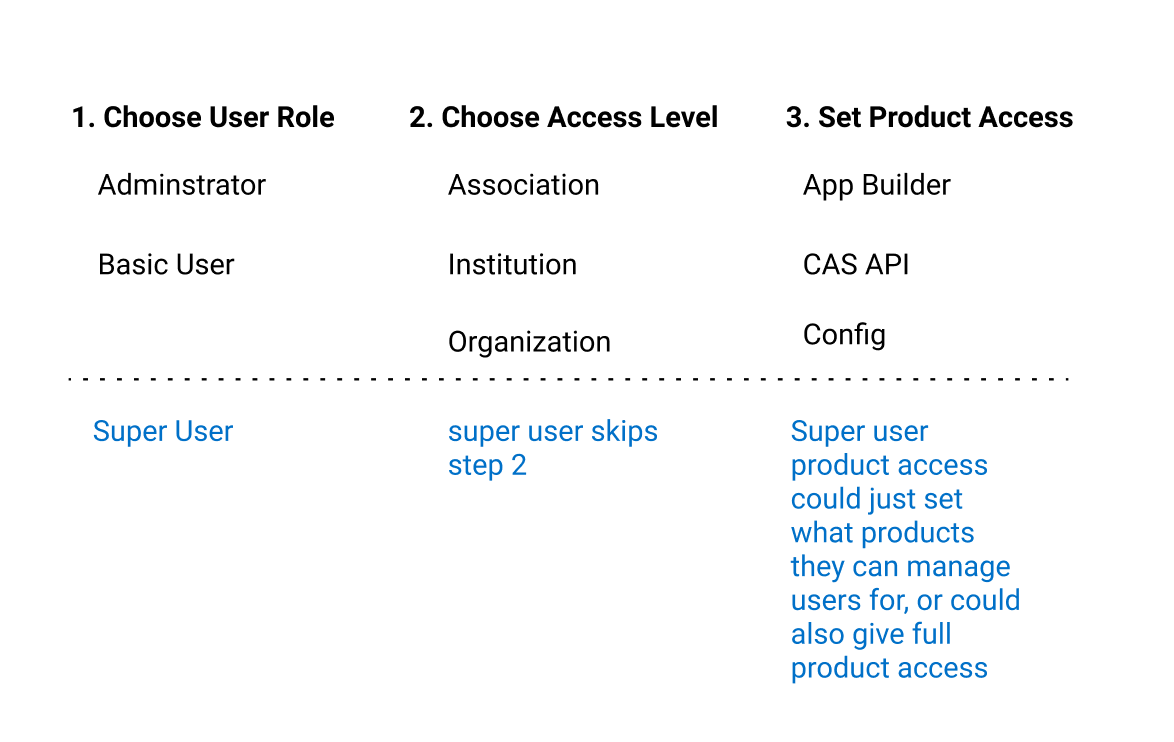
Here, there are three levels of permissions that show dynamically when adding or editing a user; global attributes needed for all users, attributes depending on access level, and attributes for individual products. This allowed us to have a more granular control over permissions in one easy to use form. Below is a fully expanded form.
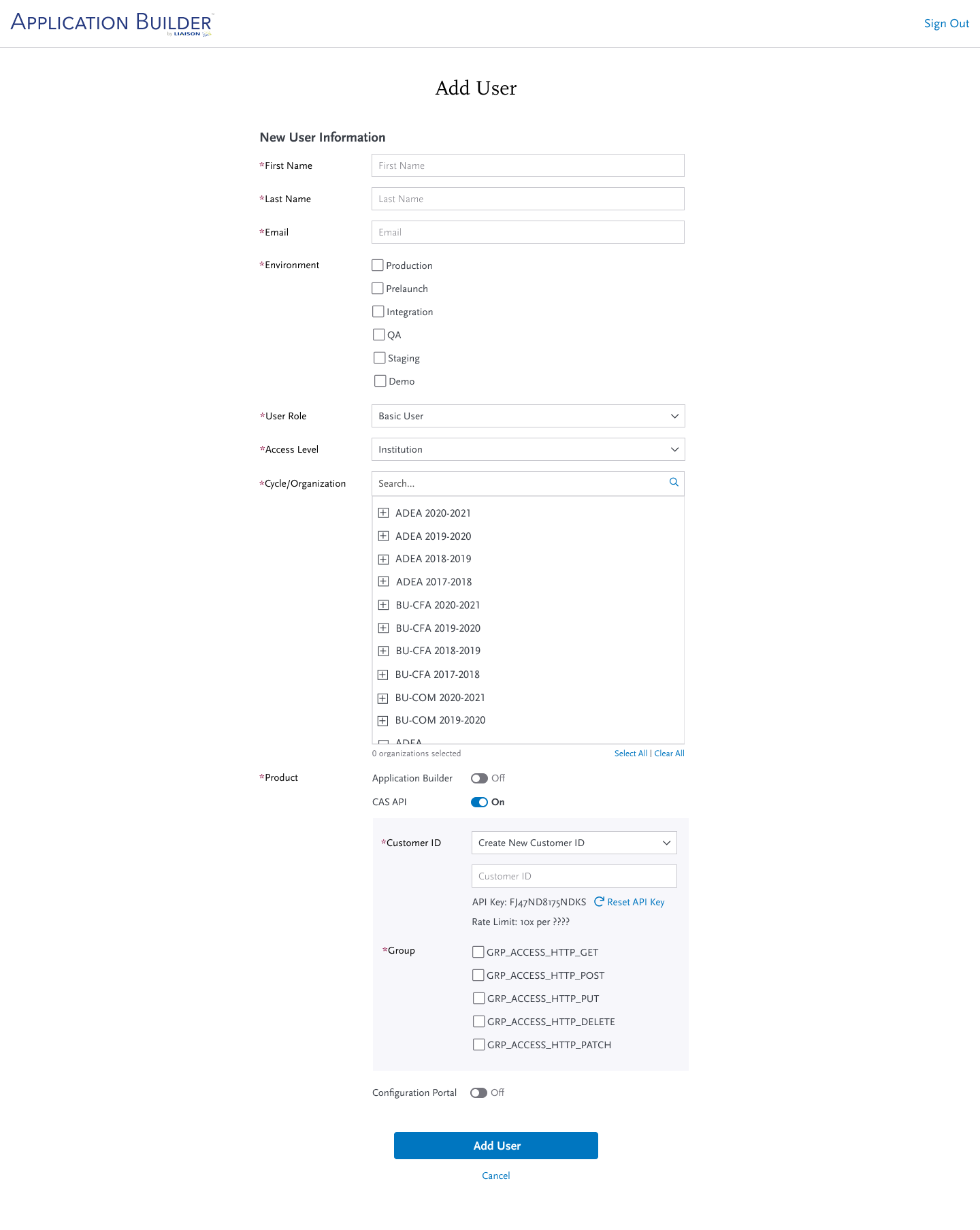
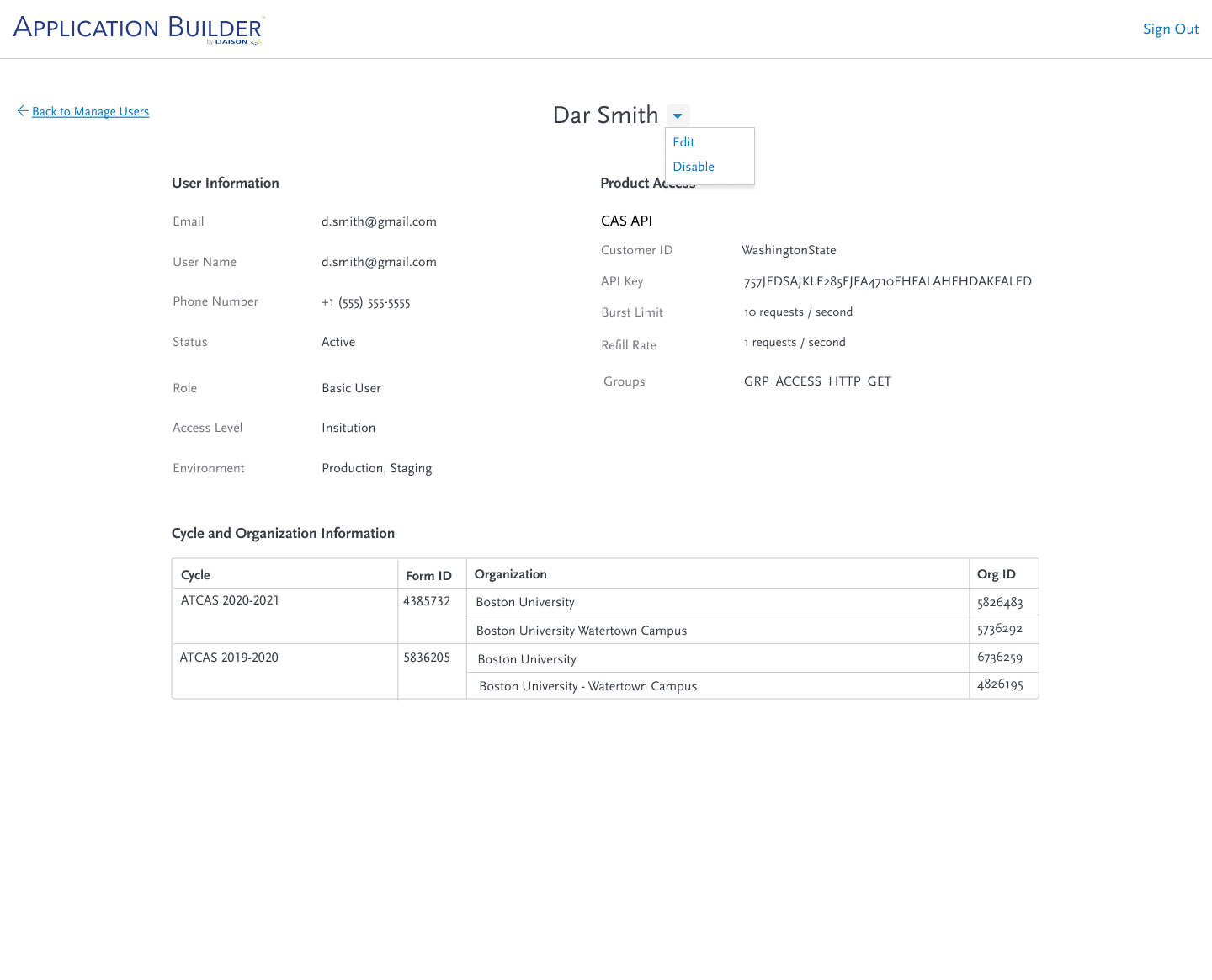
Additionally, improvements to the table and user information pages were made after looking at the product in use and collecting feedback from users. These changes help to more quickly skim and find correct users without leaving the table view.